
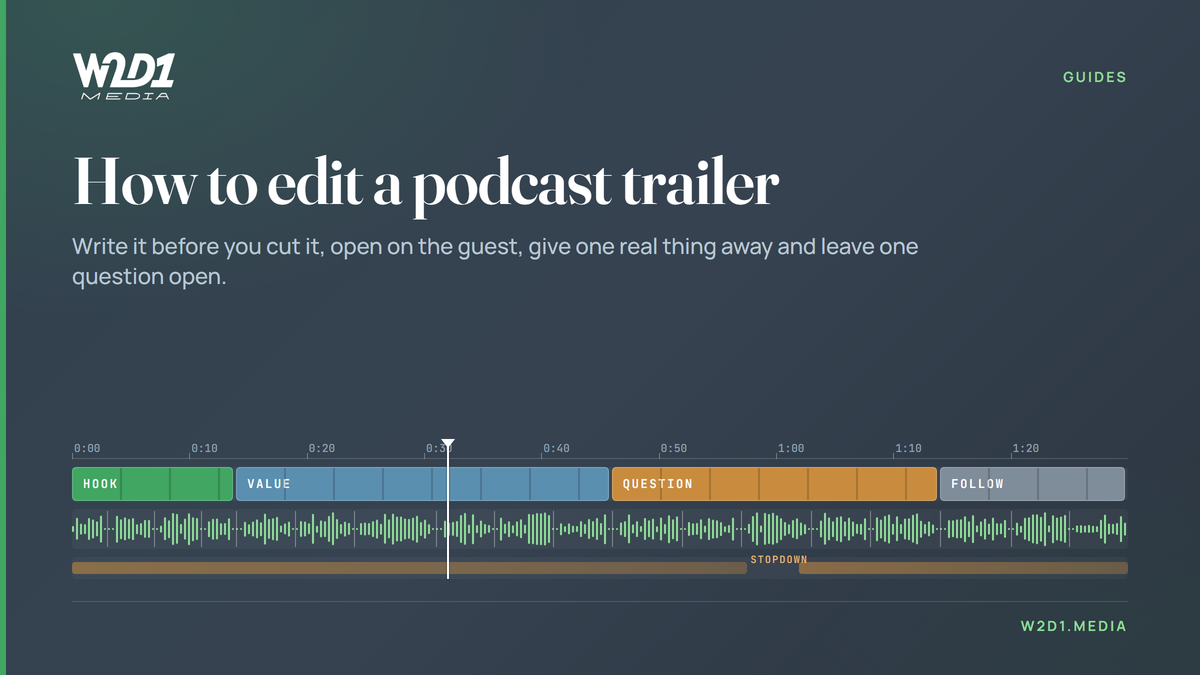
The method we use to cut trailers for the shows we produce, and which parts of the usual trailer advice have anything under them.
Most podcast trailers are a montage of the host's favourite quotes with a music bed underneath. Our own editorial guide has a line about it that I'd put on the wall of any edit suite: "The montage is not a collection of favourite quotes. It is a trailer."
We cut a hero trailer for launches and for selected episodes, as separate work from the standard per-episode deliverables. It does two jobs. It's the hyper-edited opening that runs before the conversation starts, and it's the standalone video that goes to YouTube and social to send people to the full episode. Most of ours land between 55 and 90 seconds. They also travel. The best-reaching post we've ever put up on Day One's LinkedIn was a launch trailer.
This is how we make them, step by step, and where the advice you'll find online turns out to have nothing behind it.
Decide which trailer you're cutting
Two different things share the name.
A show trailer introduces the whole podcast. It's tagged as a trailer in your RSS feed (the itunes:episodeType field), and Apple plays it from the big button at the top of your show page for people who haven't followed yet. Apple's own wording is that it "automatically presents a trailer, to help listeners discover new shows". An episode trailer sells one conversation. It lives on YouTube, LinkedIn and Instagram, and it doesn't belong in the audio feed.
The platforms don't agree on length. Spotify says "Keep your trailer under one minute." Apple says "keep your trailers to two minutes or less." Neither cites any data. When we went through the feeds of nine of the biggest podcasts, we found four items tagged as trailers across more than 6,400 episodes. All four were show trailers. They ran from 97 seconds (SmartLess) to 262 seconds (Huberman Lab). None of the nine put a per-episode trailer in the audio feed.
So I wouldn't lose sleep over the 30-to-60-second rule. Hosting platforms and tool vendors repeat it, and we couldn't find a measurement behind any version of it. Cut a show trailer for as long as it holds attention. Cut an episode trailer for the feed it'll play in.
Two technical traps while you're here. An untagged trailer is just another episode, so the button on Apple plays something else. And for an episodic show Apple plays the oldest trailer in the feed, so publishing a new one doesn't replace the old one by itself.
Write it before you cut it
The best-documented trailer method in podcasting belongs to The Diary of a CEO. Ant Smith, its head of trailers, walked Callum McDonnell through it in 2024. Cut the episode down to about an hour of the best soundbites. Transcribe them. Pull out the key points, lessons, highs, lows and cliffhangers. Then build the trailer as a Word document sized for a 90-second edit and ask one question of it: "Does it read like a clear narrative?" Only then does anyone open a timeline.
We work the same way. Music and motion can make a weak sequence feel finished. A document can't, so the weak bits show up while they're still cheap to fix.
When you go through the transcript, sort the lines by the job they do rather than by topic. Derek Lieu, a game-trailer editor who publishes his working method, splits trailer dialogue into four kinds: lines that explain what something is, questions, short statements that carry their own context, and lines that work as an ending whatever they meant at the time. On interview tape those become the definition, the question the guest asks out loud, the claim that survives without setup, and the line that accidentally sells the show.
To find the hook, use his strike-out test. List everything the episode contains. Cross out anything that could be said about any other episode in your category. Start from whatever is left. On a B2B show that usually kills "the importance of culture" and leaves the specific number, or the decision the guest got wrong and what it cost them.
Give something away, then leave one question open
Smith builds every trailer in four parts, in order: a hook built on the unexpected, a lesson, what he calls an emotional rollercoaster, and a cliffhanger. The lesson is the part most trailers skip. He gives away real value on purpose, as a loss leader, so the viewer trusts the episode before they've started it.
Our rule is close to his. A trailer gives one real moment of value, then it can leave one specific question open: one that matters, and one the episode actually answers. An empty cliffhanger isn't a trailer.
The "never resolve anything" rule comes from film trailers, where the audience is already sitting in the cinema. In a feed nobody has committed to anything yet, and unresolved reads as unexplained. Lieu draws the line well. Confusion is when the viewer can't make sense of what they're seeing. Curiosity is when they understand it and want more. Clarity has to come first.
Keep the guest at the centre. A client once told us one of our trailers felt like it was about the host. They were right. The guest is usually the reason a stranger clicks, so the guest's lines should carry most of the runtime, with the host there to set them up. The first automated trailer we tested got the same thing wrong from the other side: 20 seconds of one person talking, against a 79-second reference cut that went back and forth between host and guest on almost every line.
Open on the person, not the logo
You'll read that you have three seconds to hook someone. Three seconds is the point at which Meta starts counting and billing a video play. It isn't a finding about attention, and the other numbers that float around (one second, five, six) come from platform playbooks or one creator's stated belief. None of them measures when people actually leave.
What holds up is smaller. The first frame and the first words should already tell someone what this is and why it's different. Our house version opens cold on the strongest line, with an oversized caption on screen from the first frame. No logo, no ramp. The Diary of a CEO team say they tested trailer openings, mostly on Facebook, and that opening on the guest in the studio chair beat opening on B-roll. They haven't published the numbers, so I'd treat it as their experience rather than a result.
There is one controlled test of podcast trailer creative. Coleman Insights ran it in 2026 with 500 US podcast listeners: four shows, one change per show. On one show the only change was the first 15 seconds. The version that opened on Netflix references lost, because people came away thinking the show was about Netflix. The study measured what listeners said they preferred, not what they did afterwards, and the margins were small. But it points the same way as everything else. An opening that misleads people about the subject costs you, and listeners marked down the versions that sounded like an ad.
Cut the tape honestly
Every join in a podcast trailer is between two moments of the same room, often recorded an hour apart. That's where trailers fall apart. Our rules:
- No word gets clipped. Every cut lands in a silence, so nobody loses the last syllable of a sentence.
- Never splice words into a sentence the speaker didn't say. Television calls it a frankenbite. In a trailer it builds a claim the guest never made, and a trailer is advertising. If the guest wouldn't sign off on the sentence as written, it doesn't go in.
- Hard-cut on the change of speaker. The back and forth between host and guest is what makes a trailer feel like a conversation rather than a speech.
- Put a small fade on every dialogue clip and an audio transition of about four frames between clips, so the room tone doesn't jump. Those are Lieu's numbers and they work.
Use the music to point at the line that matters
Pick the music before the fine cut, because the edit will end up following it either way. Duck the bed fast under a line, within about four frames of the first word, and bring it back slowly, over 20 to 30 frames. Fast in and slow out is a lot of the difference between a mixed trailer and an automated one.
The cheapest move available is the stopdown. Cut the music dead under the single most important sentence. It costs no runtime and it tells the listener this is the line. In an audio-only trailer it's about the only way to point at a sentence. Let the sound before it decay into the silence, though. A hard mute reads as a dropout.
Finish it like an asset
- Captions on, large and high-contrast. Ours drop punctuation.
- Put proof on screen where the guest's credibility needs it: the company, the press coverage, the actual screenshot. Real material beats a text slate every time.
- Watch the final export frame by frame. A flash frame of the wrong shot survives rendering and is invisible at play speed. It's a two-minute check and it's the defect a client always spots.
- Deliver vertical and landscape.
- Mix the audio version to Apple's recommended loudness, about -16 LKFS with true peak no higher than -1 dBFS.
- Publish it before the episode or with it, never after, and put the link to the full episode at the top of the description.
What nobody knows yet
Nobody has published a study comparing the same show with and without a trailer. The four-part structures, the no-resolution rule and the text-first method are all working editors describing their own practice. That includes ours. The only controlled test measured stated preference in a survey.
So take everything above, our formula included, as a method to test on your own show rather than a set of rules.